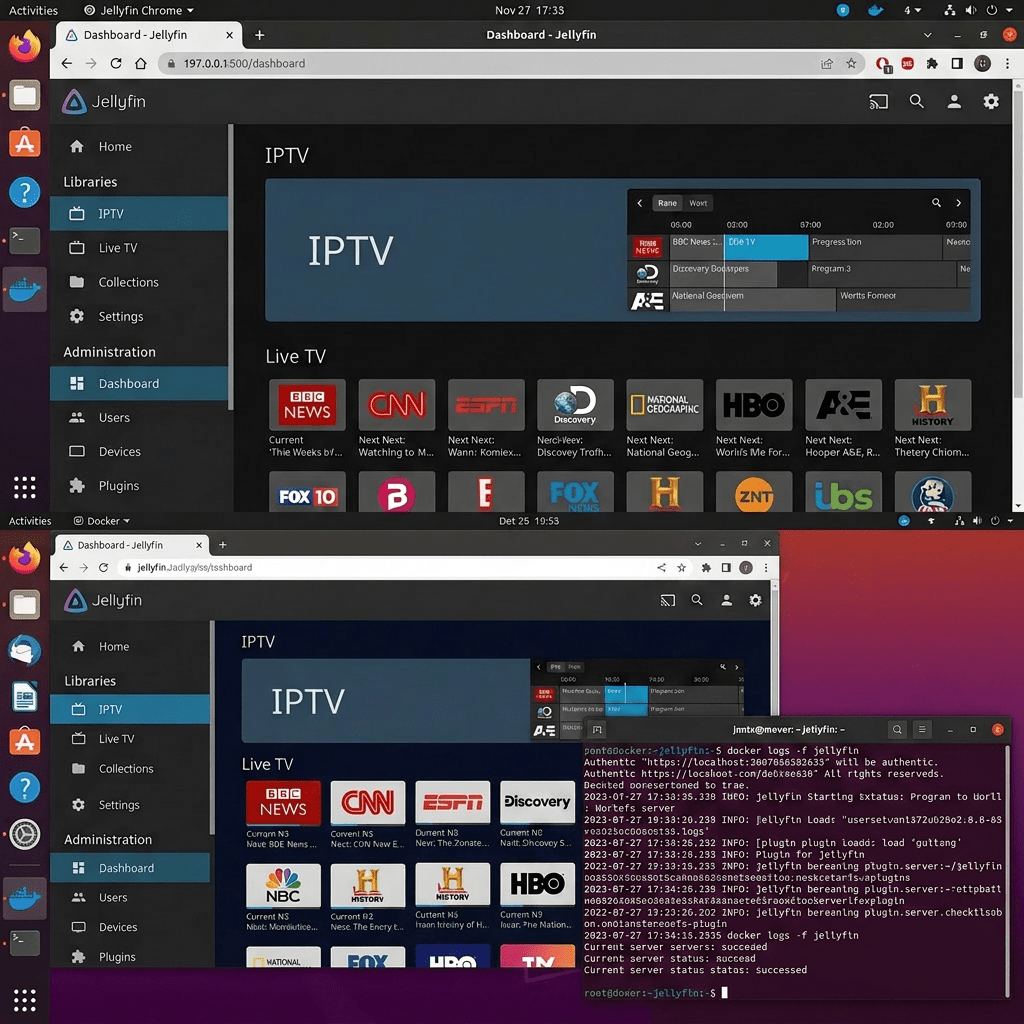
I set up a self-hosted IPTV system using Jellyfin running in Docker on an HP Ubuntu server. The goal was to stream live TV channels over the local network using free, legal M3U playlists with an electronic program guide. Here is the full setup.
What Is Jellyfin
Jellyfin is a free, open source media server. It handles movies, TV shows, music, and live TV. You access it through a web browser or any of its client apps on phones, TVs, and streaming sticks. No subscription, no account required, no data sent to any third party. For IPTV it acts as an M3U tuner — you give it a playlist URL and it reads the channel list and streams them through its interface.
Installing Docker
sudo apt updatesudo apt install -y docker.iosudo systemctl enable dockersudo systemctl start dockersudo usermod -aG docker $USER
Log out and back in for the group change to take effect.
Running Jellyfin in Docker
sudo docker run -d \ --name=jellyfin \ -p 8096:8096 \ -v /home/eaglizer/jellyfin/config:/config \ -v /home/eaglizer/jellyfin/cache:/cache \ -v /home/eaglizer/media:/media \ --restart=unless-stopped \ jellyfin/jellyfin
Access the web UI at http://YOUR_SERVER_IP:8096 and follow the setup wizard.
Adding IPTV Playlists
Go to Dashboard > Live TV > Tuners > + and select M3U Tuner. Paste in a playlist URL. The iptv-org project maintains community-curated playlists of publicly broadcast streams. All are free public broadcasts.
By category:
https://iptv-org.github.io/iptv/categories/news.m3uhttps://iptv-org.github.io/iptv/categories/sports.m3u
By country:
https://iptv-org.github.io/iptv/countries/gb.m3uhttps://iptv-org.github.io/iptv/countries/gr.m3uhttps://iptv-org.github.io/iptv/countries/am.m3uhttps://iptv-org.github.io/iptv/countries/sy.m3u
By language:
https://iptv-org.github.io/iptv/languages/ara.m3u
Not all streams will work at any given time — these are community-maintained and some go offline. Expect around 60-70% of channels working at any moment.
Adding EPG (Electronic Program Guide)
Go to Dashboard > Live TV > TV Guide Data Providers > + and select XMLTV. EPG sources by country/region:
https://iptv-org.github.io/epg/guides/gb.xmlhttps://iptv-org.github.io/epg/guides/gr.xmlhttps://iptv-org.github.io/epg/guides/am.xmlhttps://iptv-org.github.io/epg/guides/sy.xmlhttps://iptv-org.github.io/epg/guides/eg.xmlhttps://iptv-org.github.io/epg/guides/ae.xmlhttps://iptv-org.github.io/epg/guides/sa.xmlhttps://iptv-org.github.io/epg/guides/lb.xml
You can add multiple EPG sources. Jellyfin merges them and matches guide data to channels by channel ID.
Performance Tuning
In Jellyfin Dashboard > Playback, disable chapter image extraction, trickplay generation, and metadata auto refresh. Enable direct play and direct stream. This keeps CPU usage minimal — my HP server idles under 5% CPU with 10+ channels loaded.
Start with category and country playlists rather than the full master playlist which has 8000+ channels and causes high CPU usage during indexing.
Client Apps
- Web browser: http://YOUR_SERVER_IP:8096
- iOS/Android: Jellyfin Mobile (official, free)
- Apple TV / Fire TV / Android TV: Jellyfin for TV (official, free)
- iOS: Infuse (best UI, connects to Jellyfin natively)
- Smart TV: Jellyfin app in LG and Samsung app stores
Managing the Container
docker ps # Check if runningdocker logs jellyfin # View logsdocker restart jellyfin # Restartdocker stop jellyfin # Stopdocker start jellyfin # Start

